
US visa photo online
To create a US visa photo to State Department spec: upload your portrait below and the tool auto-crops to a 2x2 inch (51x51 mm) square, replaces the background with white, and exports a DS-160-ready JPEG for online upload or print.
Get started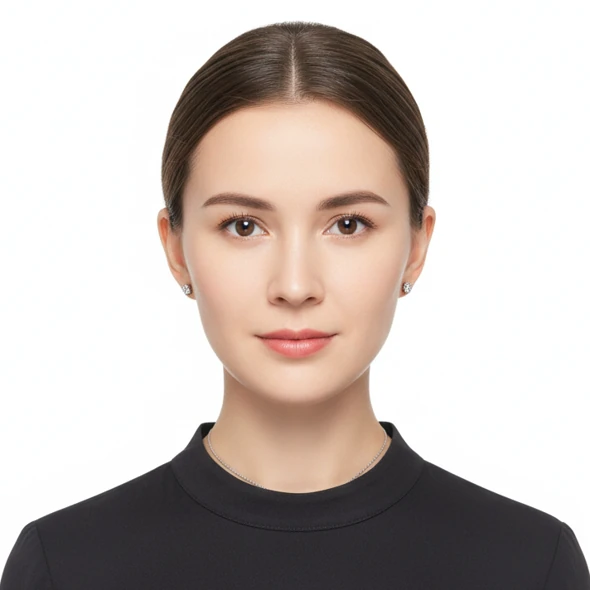
Technical specs
- Size
- 2 x 2 inch (51 x 51 mm) — square format
- Pixel size
- 600 x 600 px minimum, 1200 x 1200 px maximum
- Resolution
- 300 DPI or higher (600 px at 2 inch)
- Background
- Plain white or off-white, even, no shadows
- File format
- JPEG — under 240KB for the DS-160 upload
- Standard
- U.S. Department of State
Visa photo requirements
- Head size
- Head is 50–69% of photo height (about 22–35 mm chin to crown)
- Recency
- Taken within the last 6 months, reflecting current appearance
- Expression
- Face the camera, neutral expression, both eyes open, mouth closed
- Glasses & accessories
- No glasses (required since 2016); no hats except for religious reasons
- Color
- Color photo; no filters that alter the face
Important notes
- For the online DS-160, the photo must be a square JPEG under 240KB; bring two printed 2x2 inch photos to the interview.
- Since November 2016, the US State Department does not allow glasses in visa photos (except documented medical reasons).
How it works
Three steps to a DS-160-ready 2x2 inch US visa photo from a phone shot.
Upload your portrait
Pick a straight-facing photo, eyes on camera, no glasses. An iPhone or Android selfie in good light works fine.
Auto-edit
AI crops to a 2x2 inch square, sizes the head to 50–69%, removes the background and replaces it with white, then validates against US visa rules.
Download the compliant file
Receive a JPEG under 240KB for the DS-160 form, plus a 2x2 inch 300 DPI print file for the interview if needed.
Frequently asked questions
What size is a US visa photo?
A US visa photo is a 2 x 2 inch (51 x 51 mm) square. For the DS-160 online form it must be a square JPEG between 600x600 px and 1200x1200 px, under 240KB. This tool exports the correct size and format automatically.
What background color does a US visa photo need?
Plain white or off-white, even, with no shadows. The tool automatically removes the original background — even a wall or outdoor scene — and replaces it with State-Department-compliant white.
Can I wear glasses in a US visa photo?
No. Since November 2016 the U.S. Department of State requires no eyeglasses in visa photos, except in rare medical cases with a doctor's note. Remove glasses before shooting.
Will a self-shot US visa photo from home be accepted?
Yes. Any iPhone or Android camera from 2019+ has enough resolution for a 600–1200 px image. Shoot in good light and the AI crops the 2x2 square and replaces the background automatically.
How much does creating a US visa photo online cost?
Uploading and previewing is free. Downloading the compliant file costs from 50,000 VND. Full pricing at /en/pricing.