
India visa photo online
To create an India e-Visa photo to spec: upload your portrait below and the tool auto-crops to a square 40x40 mm, replaces the background with white, and exports a square file ready for online upload in about 60 seconds.
Get started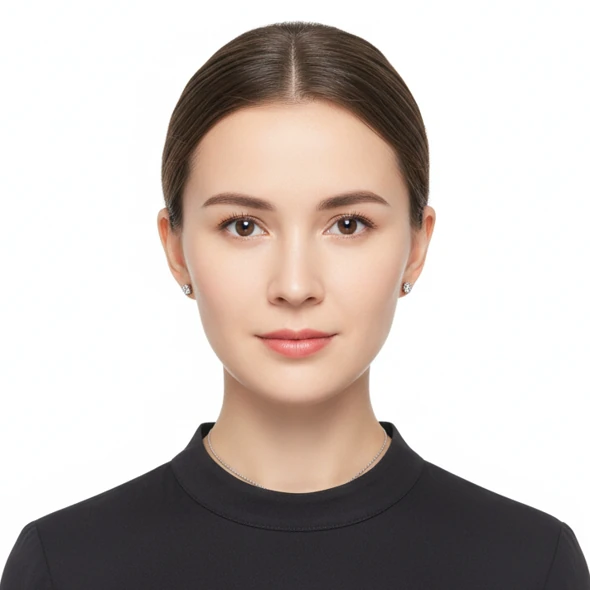
Technical specs
- Size
- 40 × 40 mm — square format
- Pixel size
- About 472 × 472 px at 300 DPI (e-Visa: 350-1000 px square)
- Resolution
- 300 DPI or higher for print quality
- Background
- Plain white, even, no shadows
- File format
- JPEG — square e-Visa file, usually under 1MB
- Standard
- India e-Visa portal / Embassy of India
Visa photo requirements
- Face position
- Face centered, filling most of the square frame
- Recency
- Taken within the last 6 months
- Expression
- Face the camera, neutral expression, both eyes open, mouth closed
- Glasses & accessories
- No hats; if glasses are worn, eyes must be clearly visible with no glare
Important notes
- The India e-Visa requires a SQUARE photo (350-1000 px), JPEG 10KB-1MB — there is no official '40x40 mm'; the printed equivalent is 2x2 inch (51x51 mm).
- Glasses are prohibited; the e-Visa only allows entry through designated airports and seaports.
How it works
Three steps to a compliant square 40x40 mm India visa photo from a phone shot.
Upload your portrait
Pick a straight-facing photo, eyes on camera. An iPhone or Android selfie in good light works fine.
Auto-edit
AI crops to a square 40x40 mm, removes the background and replaces it with white, then validates against India e-Visa rules.
Download the compliant file
Receive a square online-upload file plus a 40x40 mm, 300 DPI print file by email.
Frequently asked questions
What size is an India visa photo?
An India visa photo is a square 40 × 40 mm. For online e-Visa upload it is a square JPEG between 350 and 1000 px per side. This tool exports the correct square size and format automatically.
What background does an India visa photo need?
Plain, even white with no shadows. The tool removes the original background and replaces it with compliant white.
Can I use a self-shot photo from home?
Yes. Shoot with your phone's front camera in good light and the AI crops the square 40x40 frame and replaces the background automatically.
How much does it cost?
Uploading and previewing is free. Downloading the compliant file costs from 50,000 VND. Full pricing at /en/pricing.