
3 steps to beautify your ID photo like a professional studio with Google's free Gemini — no Gemini Advanced needed.
Step 1: Enable Thinking + Upload Photo + Paste Prompt
Go to gemini.google.com with a free Google account. Look at the bottom-right of the input box, next to the microphone icon → switch to Thinking. Tap the + icon → upload your ID photo. Paste the English prompt below.
Copy verbatim — do not translate
Relight this portrait to make it look like it was taken from a professional portrait studio. Beautify the skin of the face. No shadows on the face. Beautify the face but identity must remain the same. The eyes, hair, face features, face shape, clothes, and background should all remain the same. The only change should be the lighting on the face.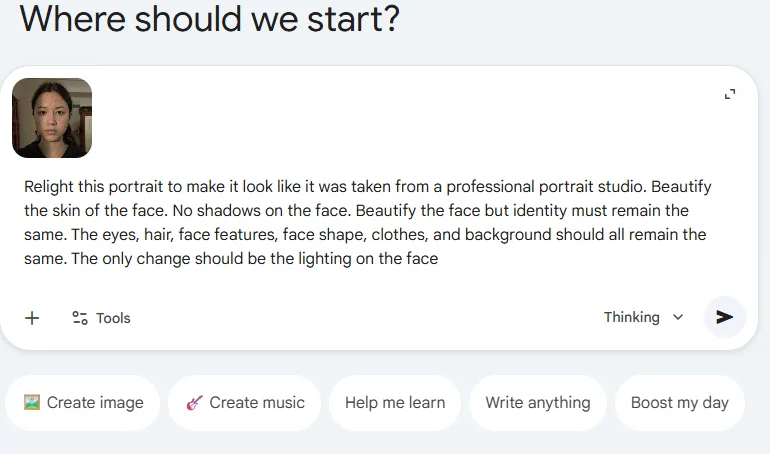
Thinking enabled (bottom right), photo uploaded, prompt pasted
Step 2: Send and Wait
Tap the send arrow → Gemini shows “Show thinking” for a few seconds and then generates the beautified photo right in the chat.
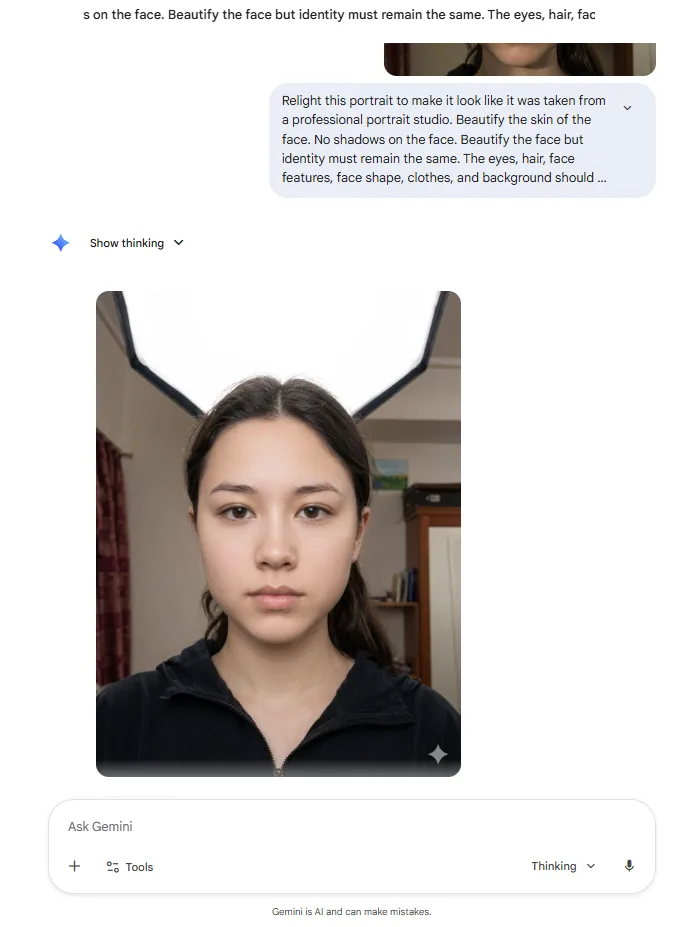
Gemini “Show thinking” → returns the beautified photo
Step 3: Download the Result
Tap the photo → Download → save to your device (or Google Photos).
Before and After
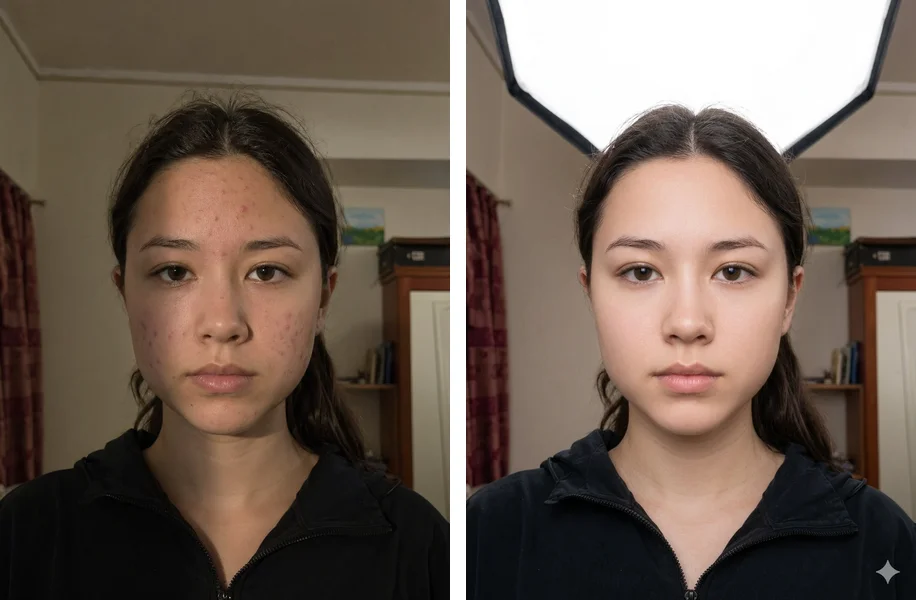
Before (left) — After Gemini beautify (right)
Fun note
Notice Gemini also “added” a studio softbox behind the subject — even though the prompt told it not to change the background. No worries 🙂 — upload the photo to anhthe.io and the AI will replace the background with a compliant ICAO white/blue backdrop, taking the studio light with it.
Step 4: Export the Compliant ID Photo
Gemini only makes the photo look good. To export the correct ID size and a white/blue ICAO background, upload it to anhthe.io.
Tips
- Not happy with the result? Type in the same chat:
Make the lighting softerorKeep my face exactly the same, only change the lighting. - Daily limit hit? Use free ChatGPT instead.
- Which is better, Gemini or ChatGPT? Gemini is less likely to refuse portrait photos. ChatGPT sometimes produces “cleaner” lighting. Both are free — try both.
Ready to create a compliant ID photo?
Upload the beautified photo to anhthe.io — AI removes the background, adds a white backdrop and exports the right size.
Create ID photo now