
If you are not happy with your ID photo or ran into a problem, anhthe.io will help you retake it and send a new photo for free — no extra payment required. Just follow the 6 steps below and send us your order code.
The 6-Step Process
- Retake your photo correctly. Follow our guide to taking a compliant ID photo so the new shot meets the requirements.
- Upload the new photo. Go to anhthe.io, upload the photo you just took, and check it until it shows as valid.
- Go to the checkout page. Continue to the Checkout (Thanh toán) page.
- Copy the order code. The order code appears under the ORDER (ĐƠN HÀNG) section at the top (see the image below).
- Enter your email and click pay, but DO NOT pay. Stop here — you do not need to complete the payment.
- Send us the order code. We will review your new photo by its order code; if it qualifies, we will send the new photo to you.
Where Is the Order Code?
On the Checkout page, the order code is shown right under the ORDER (ĐƠN HÀNG) section — for example #08S61XZ80DXRGV. Copy that exact code and send it to us.
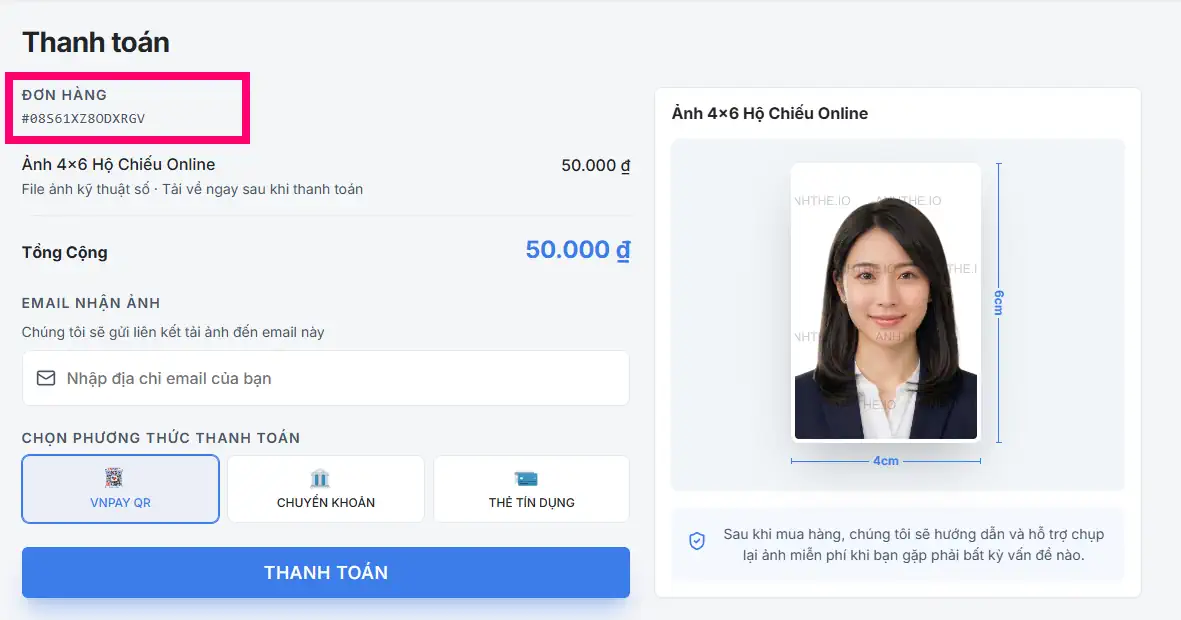
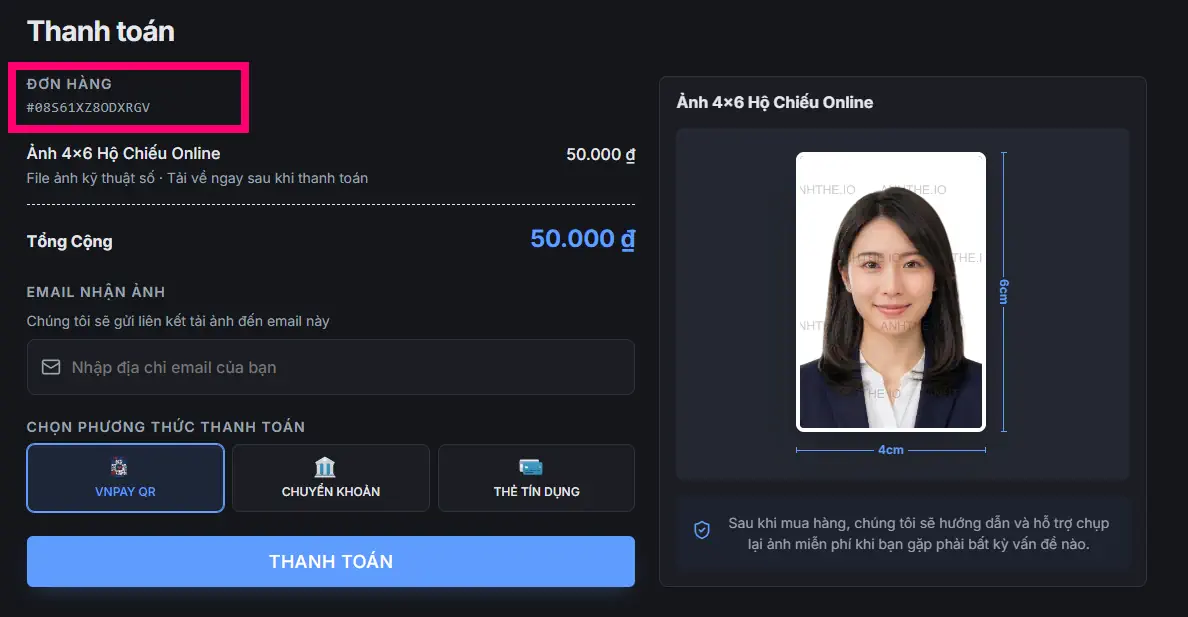
The order code sits under the ORDER section, at the top left
Important
In step 5 you do not need to pay — just grab the order code and stop. The retake support and the new photo are free.
Ready to retake?
Upload your new photo to anhthe.io, grab the order code on the checkout page, and send it to us for free support.
Upload your new photo